BlogFSRS & settings
Anki desired retention: what to set it to
What the number means, what 85, 90 and 95% cost you in reviews, and when it's worth changing.
Omar··6 min read
Leave it at 90%, Anki’s default, for most of the year. Going higher costs more than it looks: at 30 new cards a day, 95% means about 60% more reviews than 90% two months in. Raise it only for a short stretch before a big exam, and keep it under 97%, where Anki’s manual says the workload can become overwhelming.
What desired retention means
With FSRS on, Anki schedules each card for the day it thinks your chance of remembering it has dropped to your desired retention. At 90%, you should get about 9 in 10 reviews right. The manual puts it plainly: higher retention means shorter intervals and more reviews a day, and above 90% the workload climbs very quickly.
The default is 90%. Anki’s manual calls it “a good balance of retention and workload”.
What 85, 90 and 95% cost
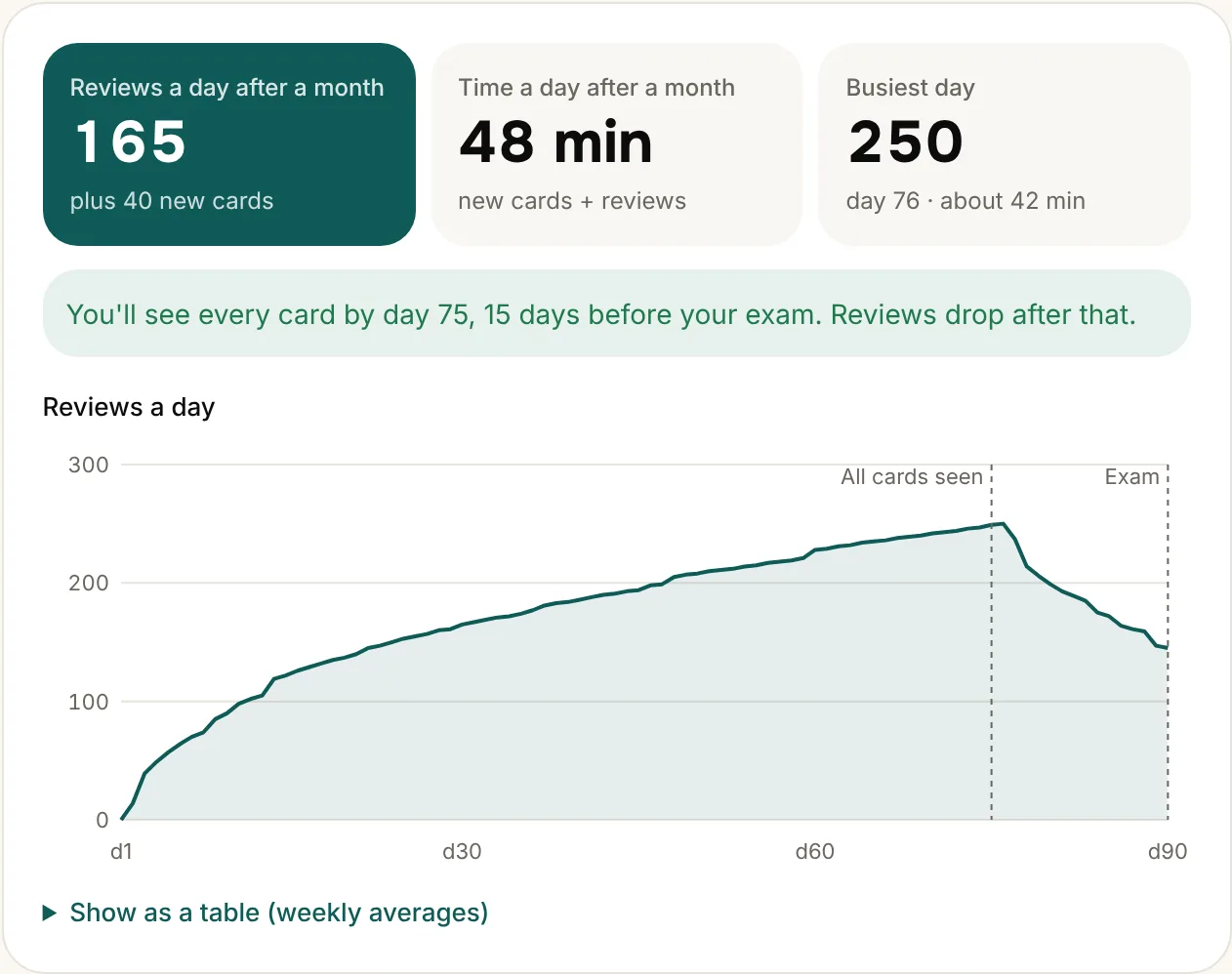
Here’s the same student at three settings: 30 new cards a day, 10 seconds a review. The numbers come from our review calculator, which runs FSRS with Anki’s default parameters.
| Desired retention | Reviews a day, month 1 | Reviews a day, month 2 | Time a day, month 2 |
|---|---|---|---|
| 85% | 89 | 125 | 36 min |
| 90% (default) | 124 | 171 | 44 min |
| 95% | 195 | 273 | 1 h 1 min |
Your own numbers will differ with your cards and your answers. To see yours, put your deck size and exam date into the review calculator and switch between the three settings. For the rest of the deck options, see the best Anki settings.
When to change it
- Most of the year: 90%. You learn new material and keep the old without drowning.
- The last few weeks before a big exam, once new cards have stopped: a short stretch at 92 to 95% can be worth the extra reviews.
- Material you only need to recognise, not recall: 85% saves real time.
- Never above 97%. The manual warns that the workload there can be overwhelming.
I’ve never changed mine. I’m on 90%, Anki’s default.
Don’t copy someone’s parameters
Retention is a choice. The FSRS parameters are not: they describe your memory. The manual says not to change them by hand or copy them from someone else, and that optimizing once a month is enough. Press Optimize in the FSRS section and let Anki fit them to your review history.
What changed in Anki 25.07
Older guides tell you to press “Compute minimum recommended retention”. That button was removed in Anki 25.07. Instead, the FSRS section has an experimental simulator (“Help Me Decide”) that shows the workload at different retention levels, which is the same question our calculator answers.
Spend your time on reviews, not on making cards
Upload your slides, a PDF or your notes and get Anki cards, each with the line and page it came from. The free plan makes 3 decks a month (up to 15 pages each), and downloading to Anki is never paywalled.
Make cards from your notesFree to try · No credit card needed
Questions
- Where is the desired retention setting?
- In Deck options, in the FSRS section. Turn FSRS on first, then the desired retention box appears.
- Is 80% too low?
- Lower retention means fewer reviews but more forgotten cards. Anki’s manual describes 90% as a good balance; going much lower makes sense only for material you don’t need to recall reliably.
- Should I use 95% for Step 1 or the MCAT?
- It’s a trade. At 30 new cards a day it costs about 60% more reviews than 90%. If you raise it, do it for the last weeks, once you’ve stopped adding new cards.